This forum is strictly intended to be used by members of the VS Battles wiki. Please only register if you have an autoconfirmed account there, as otherwise your registration will be rejected. If you have already registered once, do not do so again, and contact Antvasima if you encounter any problems.
For instructions regarding the exact procedure to sign up to this forum, please click here.
We need Patreon donations for this forum to have all of its running costs financially secured.
Community members who help us out will receive badges that give them several different benefits, including the removal of all advertisements in this forum, but donations from non-members are also extremely appreciated.
Please click here for further information, or here to directly visit our Patreon donations page.
Please click here for information about a large petition to help children in need.
Within a sandbox, members can freely explore character profiles, develop code, create an explanatory page, or engage in any desired experimentation without the risk of unwarranted edits to existing pages or violating regulations. Various methods exist for establishing a sandbox, and in the...
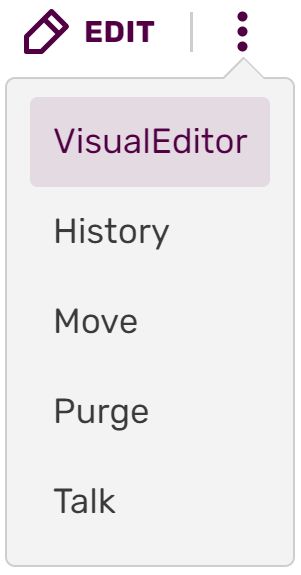
Editing on Fandom is as simple as clicking the "Edit" button on a page. Doing so will take you to an edit page. This is where you can make changes to the page and add new information and media, correct errors, or update the formatting. Most anonymous or new users will see the VisualEditor. It is...
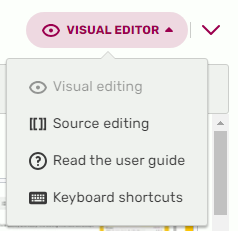
The Source Editor is one of two editors that allows editing of pages via wikitext or some HTML. To switch from VisualEditor to a source editor, use the toolbar menu and click on the menu at the top right where "Visual Editor" is. If you wish to always edit in source mode, you may wish to switch...
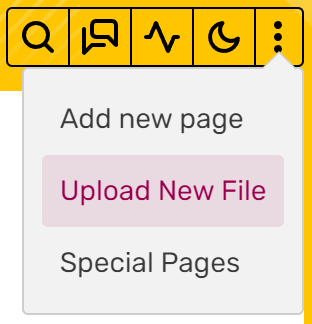
Files like images and sound clips are an integral part of wikis. They allow readers to get a sense of the information in pages with visual guides. To do this, you must first upload files to the wiki where you want to use them. You must be logged in to do this. The instructions below are for the...
Adding images helps improve the quality of any given article, providing additional details and illustrating the subject - after all, a picture speaks a thousand words! It can also improve a wiki's search engine ranking. The process of adding images to an article is very similar to adding videos...
When there are multiple versions of a character that are distinct enough to be split into several profiles, whether it is due to the length and complexity of the page or versions from different mediums, then the multiple pages that are created as a result of this have to be linked by a...
Insert a picture of the Verse at the very top, just above the Summary section. For pictures that are wider horizontally, the alignment is to the center, and the maximum size is 590px, in order to fit in tablet screens. For pictures that are longer vertically, or are of similar size in both...
References is a section in character profiles where the source references can be shown. They should be used whenever and wherever possible to increase the reliability of the information presented in the pages and to improve the overall quality of this wiki. To use them, switch to the source...
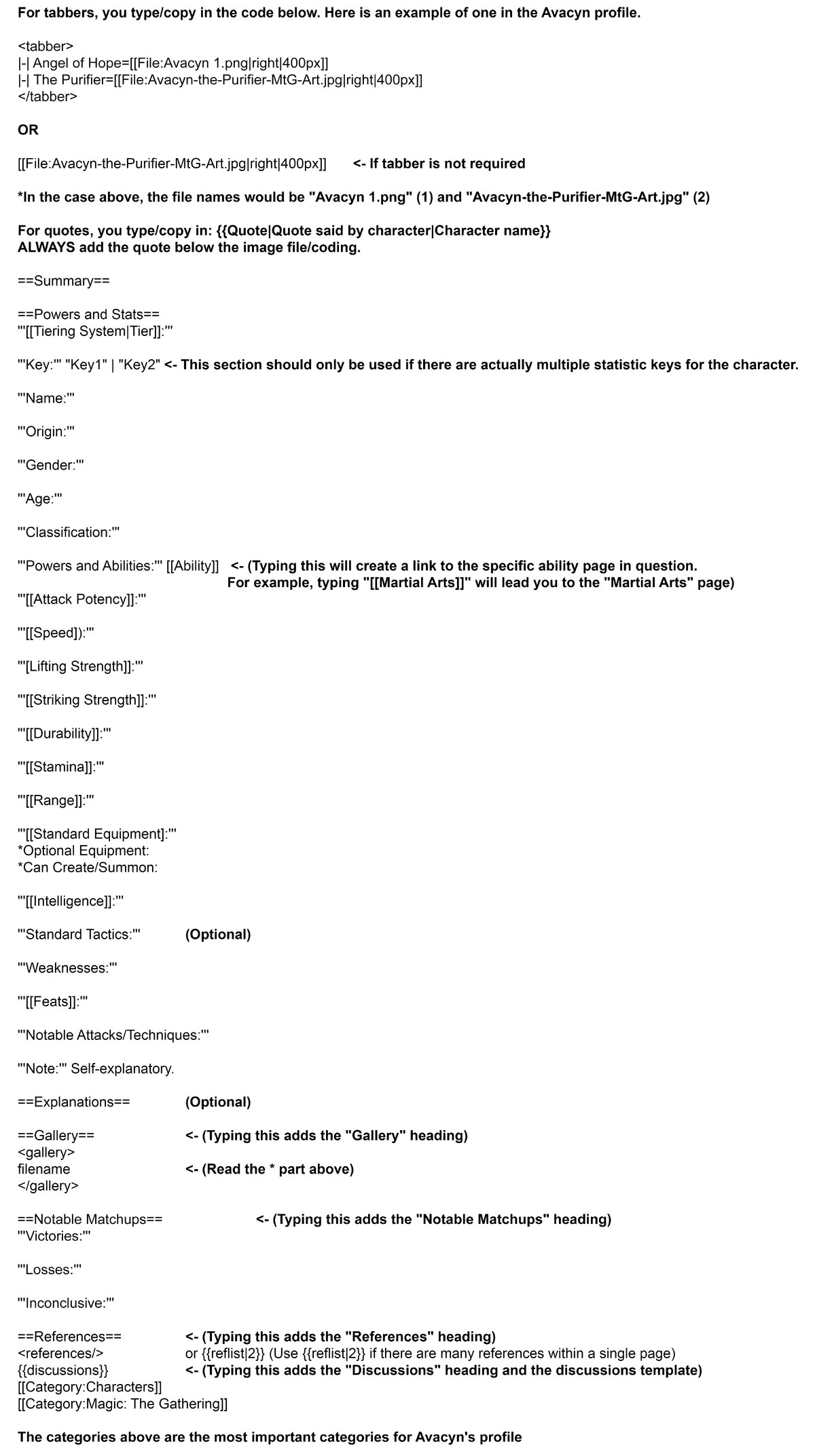
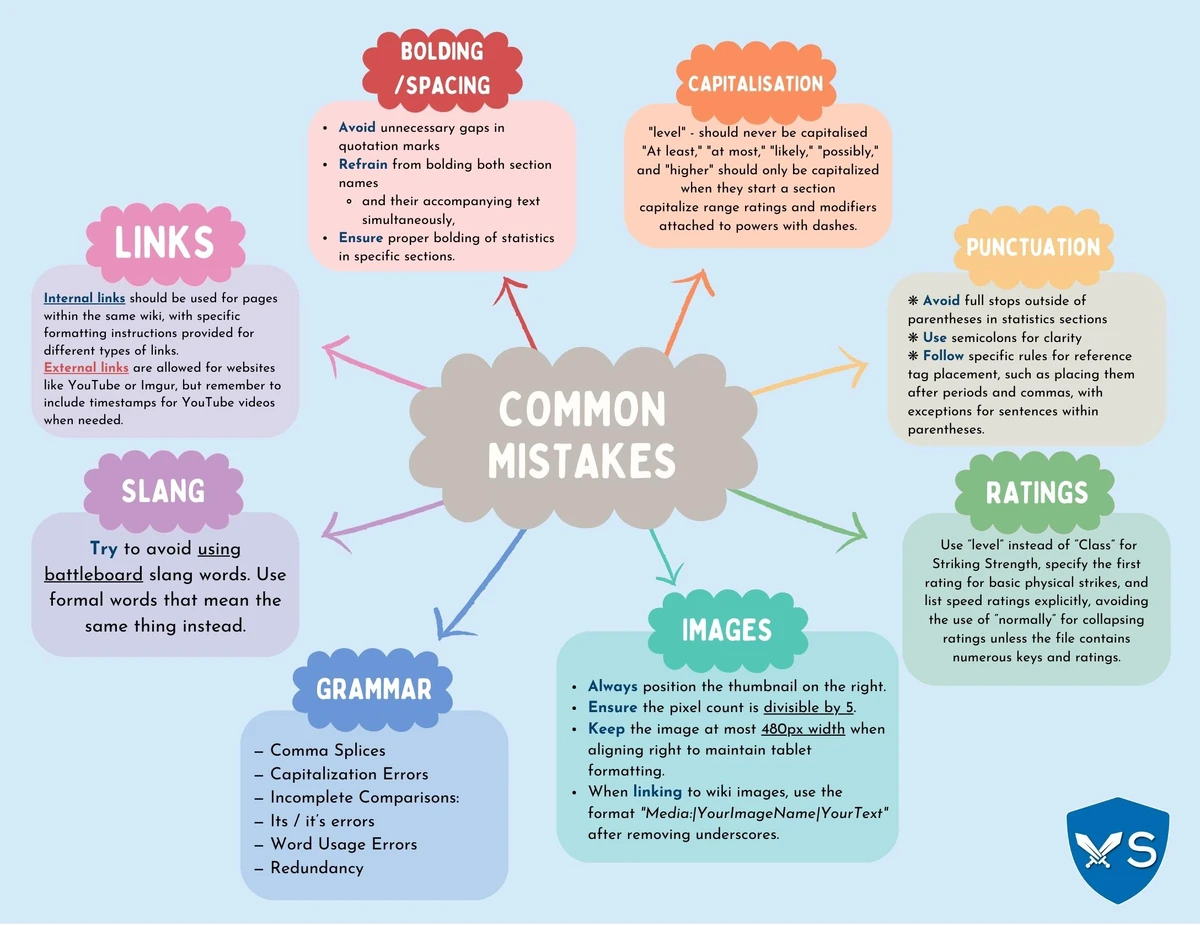
This is a page to help our members avoid common mistakes when writing source code, so other members do not need to spend considerable time cleaning up the mess. It is highly recommended that new users familiarize themselves with the contents of this page before making any edits on the wiki...
VS Battles Wiki utilizes a system of categories to organize pages based on a number of different criteria and properties, allowing our users to properly navigate through our many characters. However, superfluous categories are often added, whether they be redundant or simply unnecessary. To...
Within a sandbox, members can freely explore character profiles, develop code, create an explanatory page, or engage in any desired experimentation without the risk of unwarranted edits to existing pages or violating regulations. Various methods exist for establishing a sandbox, and in the...
Editing on Fandom is as simple as clicking the "Edit" button on a page. Doing so will take you to an edit page. This is where you can make changes to the page and add new information and media, correct errors, or update the formatting. Most anonymous or new users will see the VisualEditor. It is...
The Source Editor is one of two editors that allows editing of pages via wikitext or some HTML. To switch from VisualEditor to a source editor, use the toolbar menu and click on the menu at the top right where "Visual Editor" is. If you wish to always edit in source mode, you may wish to switch...
Files like images and sound clips are an integral part of wikis. They allow readers to get a sense of the information in pages with visual guides. To do this, you must first upload files to the wiki where you want to use them. You must be logged in to do this. The instructions below are for the...
Adding images helps improve the quality of any given article, providing additional details and illustrating the subject - after all, a picture speaks a thousand words! It can also improve a wiki's search engine ranking. The process of adding images to an article is very similar to adding videos...
When there are multiple versions of a character that are distinct enough to be split into several profiles, whether it is due to the length and complexity of the page or versions from different mediums, then the multiple pages that are created as a result of this have to be linked by a...
Insert a picture of the Verse at the very top, just above the Summary section. For pictures that are wider horizontally, the alignment is to the center, and the maximum size is 590px, in order to fit in tablet screens. For pictures that are longer vertically, or are of similar size in both...
References is a section in character profiles where the source references can be shown. They should be used whenever and wherever possible to increase the reliability of the information presented in the pages and to improve the overall quality of this wiki. To use them, switch to the source...
This is a page to help our members avoid common mistakes when writing source code, so other members do not need to spend considerable time cleaning up the mess. It is highly recommended that new users familiarize themselves with the contents of this page before making any edits on the wiki...
VS Battles Wiki utilizes a system of categories to organize pages based on a number of different criteria and properties, allowing our users to properly navigate through our many characters. However, superfluous categories are often added, whether they be redundant or simply unnecessary. To...